Show on stream in one click
Click a message and it appears on screen as a styled card, on every destination. Click again to remove it.
Read every comment, Super Chat, Bit and Kick in one place while you're live. Reply to each platform and put the best messages on screen with a click.
Included in every plan · 14-day free trial · Apple silicon, macOS 14.2+

 Priya · $10.00This is so helpful, thank you
Click any message to put it on screen. Use the tabs to filter by platform or open Backstage.
Paid messages stand out so you never miss a thank-you, and the panel keeps a running total across platforms.
YouTube paid messages arrive highlighted with their amount.
Twitch Cheers show the Bits sent. Bits count as a cent each in your total.
Kick’s paid messages land in the same feed as everything else.
New members, upgrades and gifted subs get their own cards.
Messages that mention you are marked so you can answer them first.
Verified viewers, moderators and your guests are easy to spot.
Chat from every connected platform starts flowing into the Live chat panel as soon as you're live. Nothing else to set up.
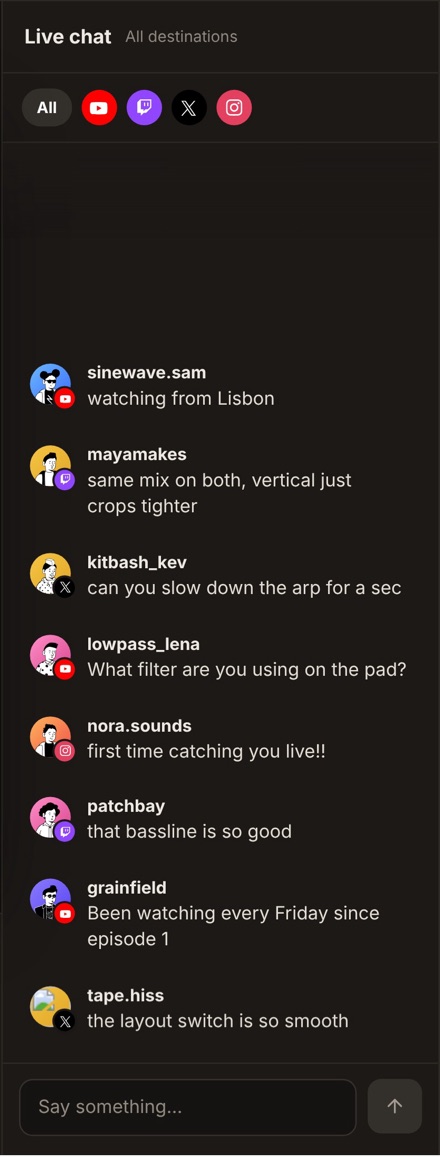
Type once and send as your channel to the platform you choose. Pin a message, hide one in Vidyst, or copy it, without leaving the studio.
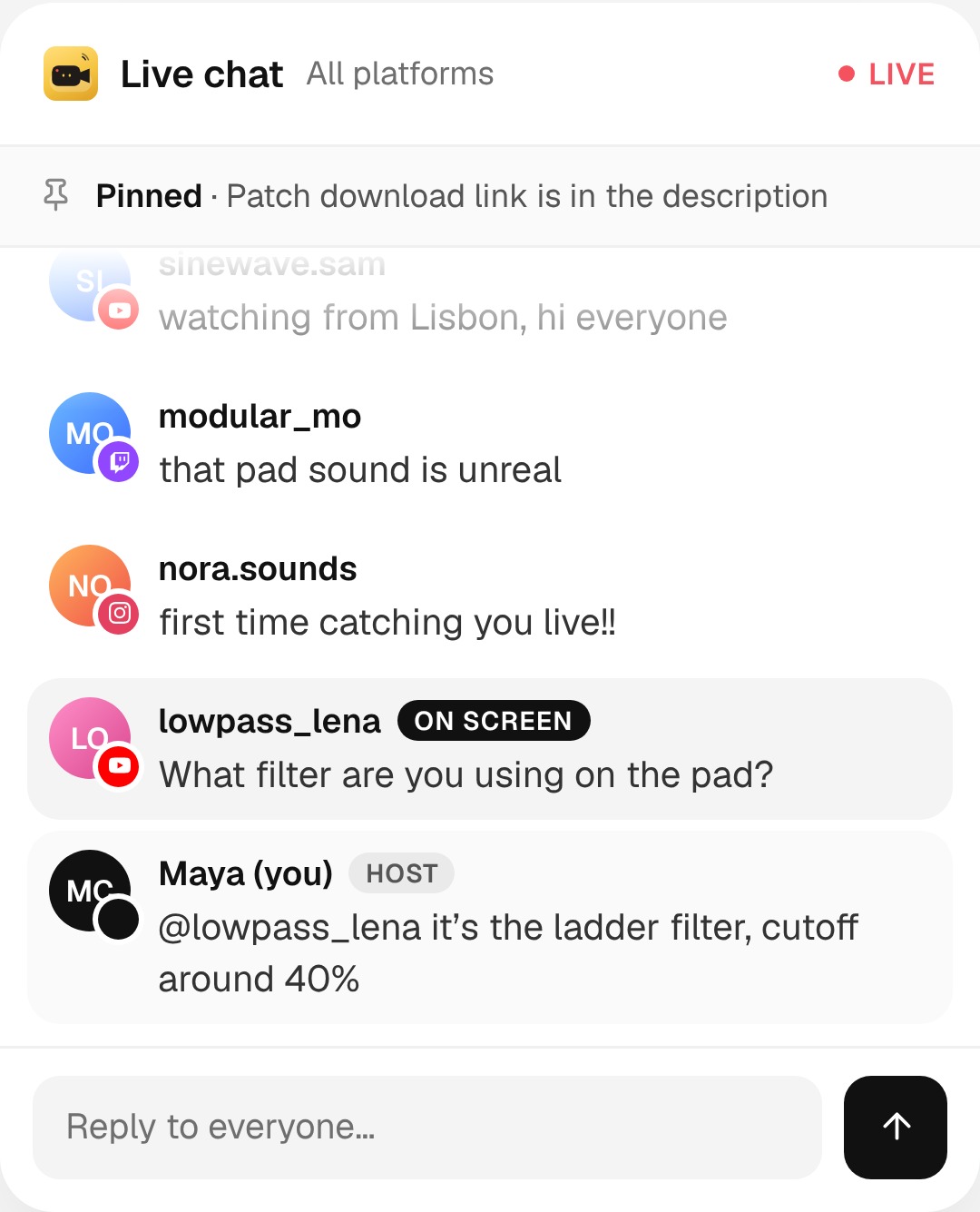
Click any message and it appears on your stream as a styled card, on every destination. Click again to take it off.
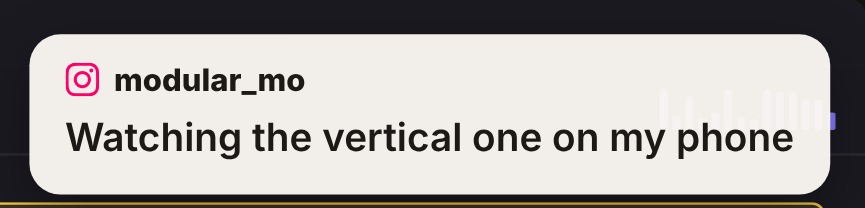
Click a message and it appears on screen as a styled card, on every destination. Click again to remove it.
Send as your channel to YouTube, Twitch or Kick right from the panel.
Pin a link or a note at the top of the chat. It stays in Vidyst and nothing is sent.
Filter by platform, add platform badges, keep paid messages at the bottom and set a minimum paid amount.
A separate chat for you and your guests. Viewers never see it.
Save the full chat log from any stream to your Mac when you’re done.
Merged chat from 2 destinations, plus dual canvas, recording and 2 guests.
Try free for 14 daysMerged chat from up to 7 destinations at once, 10 guests and everything in Basic.
Try free for 14 daysYes. When you go live on YouTube, Twitch or Kick, Vidyst merges their chats into one Live chat panel. Each message shows a small logo of the platform it came from.
Yes. Type in the chat box and send as your channel to the platform you choose, without opening a browser tab.
Click any message. It appears on your stream as a styled card on every destination. Click it again to take it off.
Yes. Super Chats, Super Stickers, Bits, Kicks, new members and gifts stand out in the feed, and the panel keeps a running total. Bits count as a cent each; other currencies by their dollar value.
Yes. Filter by platform, show platform badges on avatars, keep paid messages nearest the input and set a minimum paid amount to highlight.
Yes. Download the chat from the panel and Vidyst saves the full log to your Mac.
Guests have their own Backstage chat with you. Viewers never see it.